One place, from offer to first term.
An app for your students and their families. A portal for your team. Your university’s name on all of it.
For students
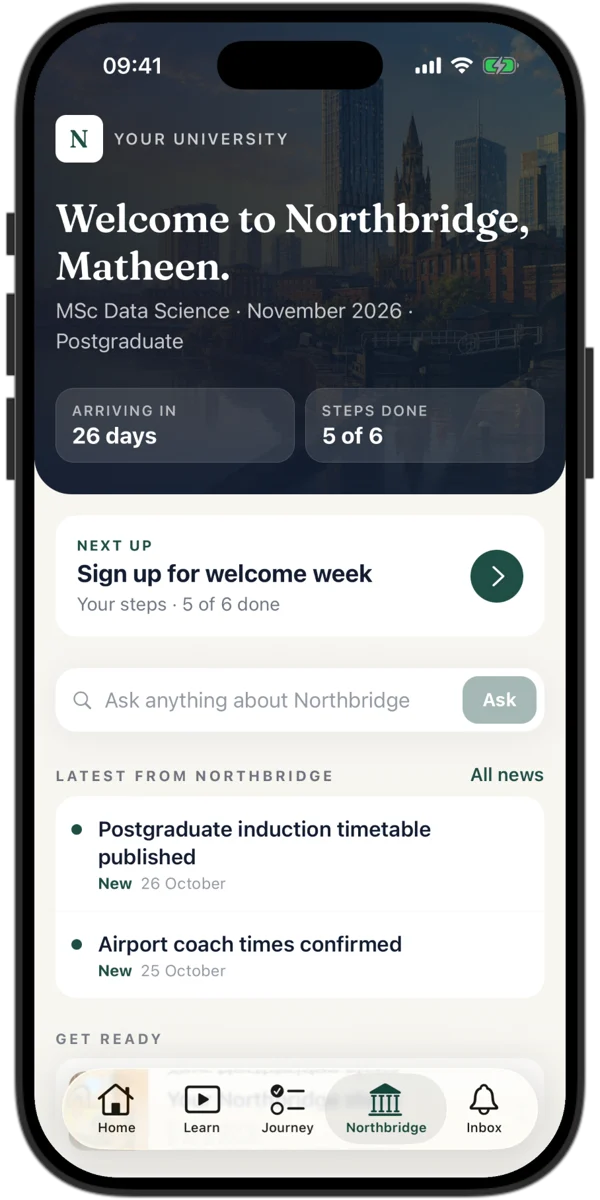
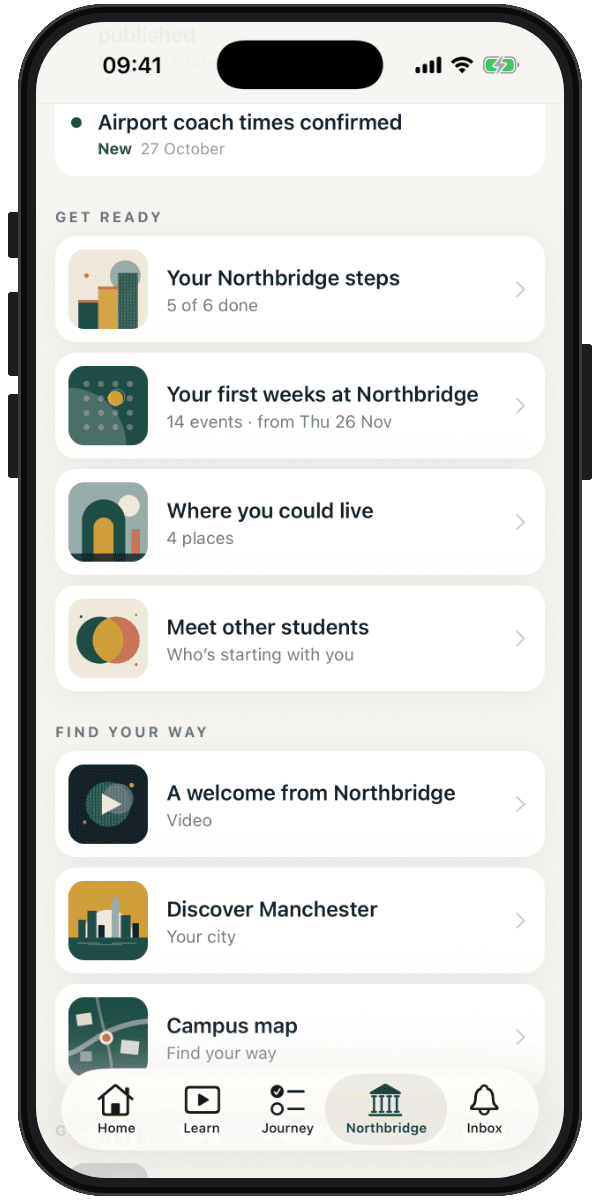
Your university, in their pocket.
- Show them their next step first, then your latest news
- Put halls, welcome week, the campus map and contacts in one place
- Send welcome-week events straight to their calendar
Ready before they land.
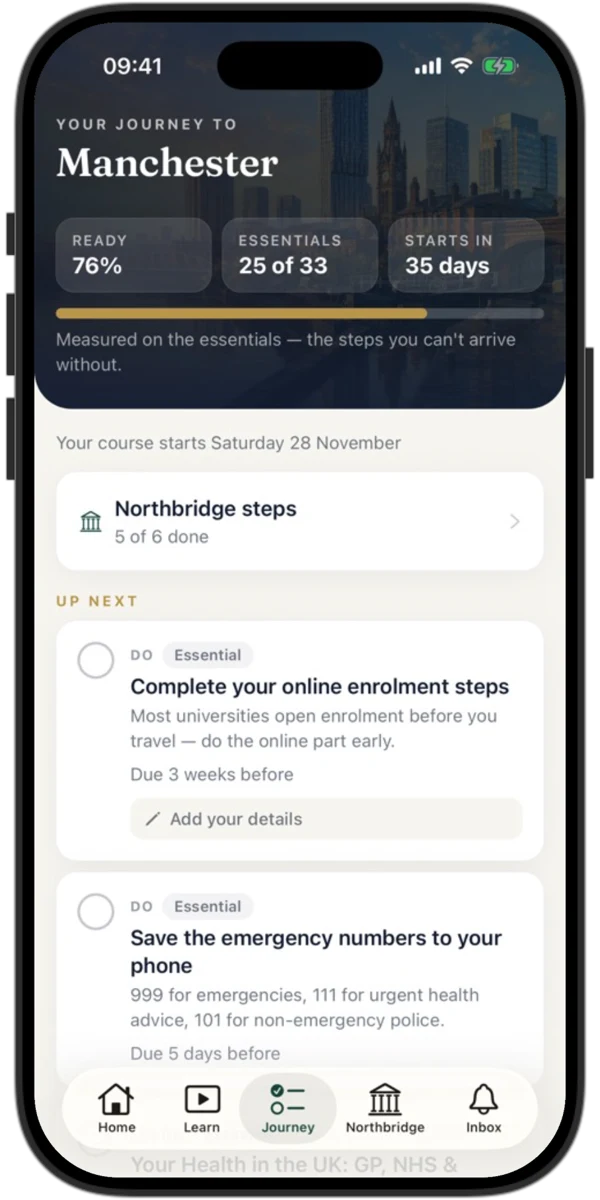
- Give them one checklist, with your own steps built in
- Walk them through their visa, and keep their documents together
- Teach them how study and everyday life work in your country
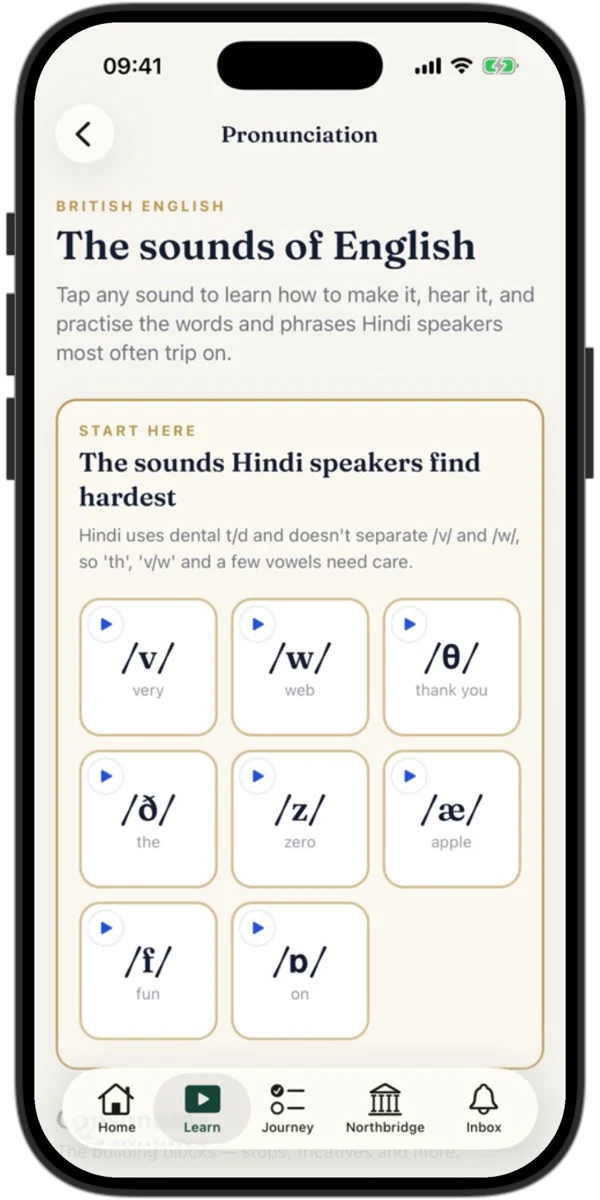
- Help them practise the sounds their first language finds hardest
A course for study and life.
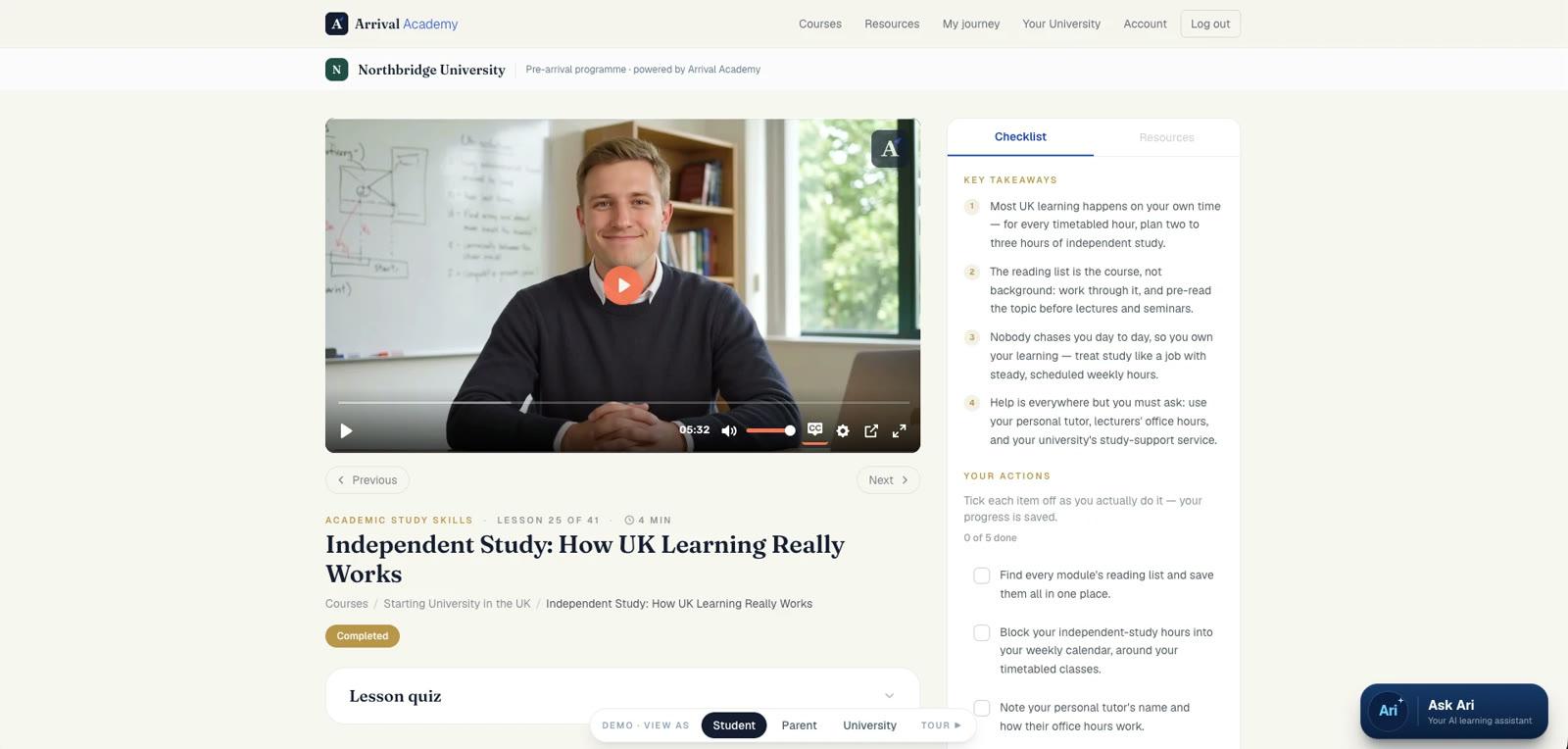
Short video lessons, each with key takeaways, things to do and a quiz, subtitled in ten languages.
- Prepare them for the visa, money, housing and health
- Show them everyday life and culture, and how to make friends
- Build their academic English, with pronunciation practice
- Teach independent study, seminars, referencing and essays
Ari, at any hour.
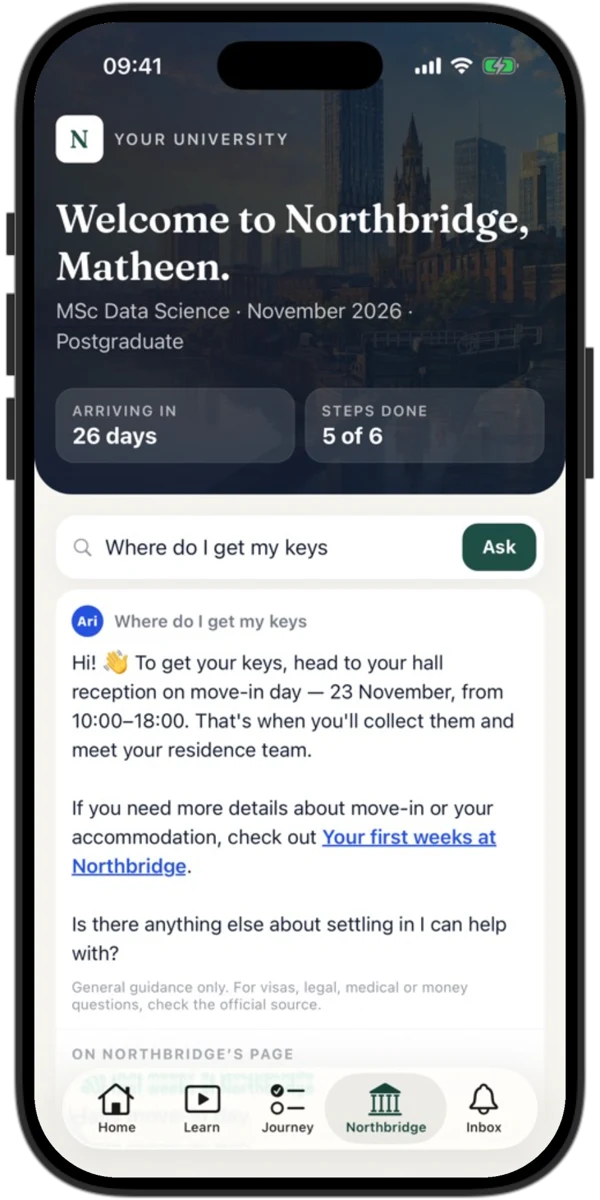
Your office closes at five. Their questions don’t.
- Let Ari answer from your own information, and link to the right place
- Put a study assistant on every lesson
- Send no name or email with any question
- Keep no conversations, unless a student reports an answer
Looked after, and not alone.
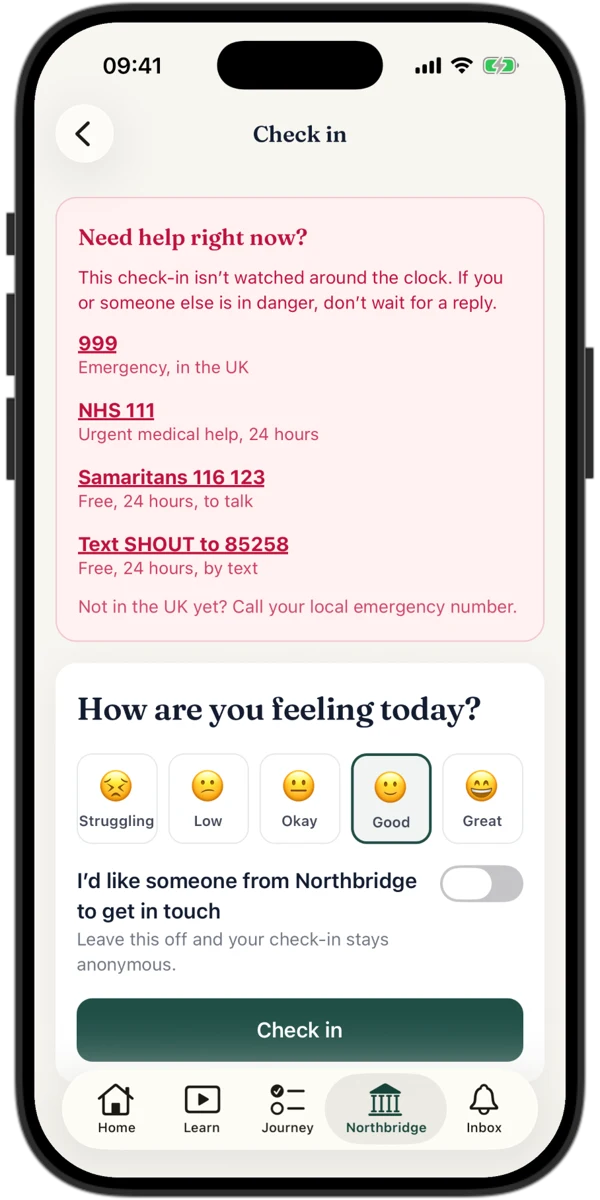
- Offer a wellbeing check-in that puts crisis numbers first
- Hear from the students who ask you to get in touch
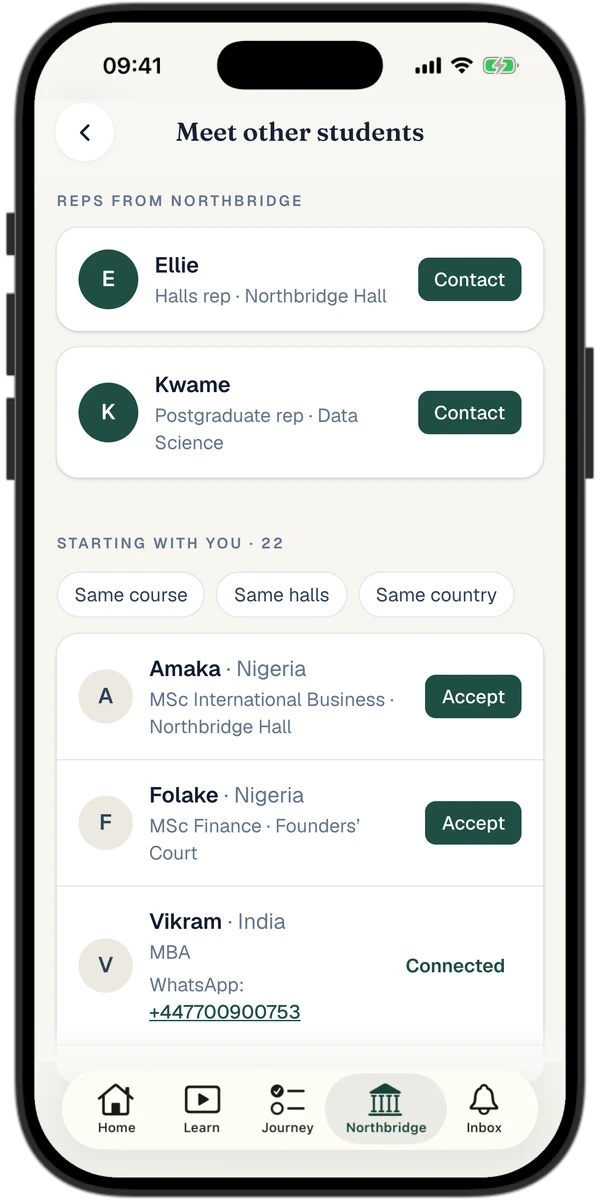
- Let them meet others starting with them, if they choose
- Show your own reps, so they know who to ask
For families
Families work through it together.
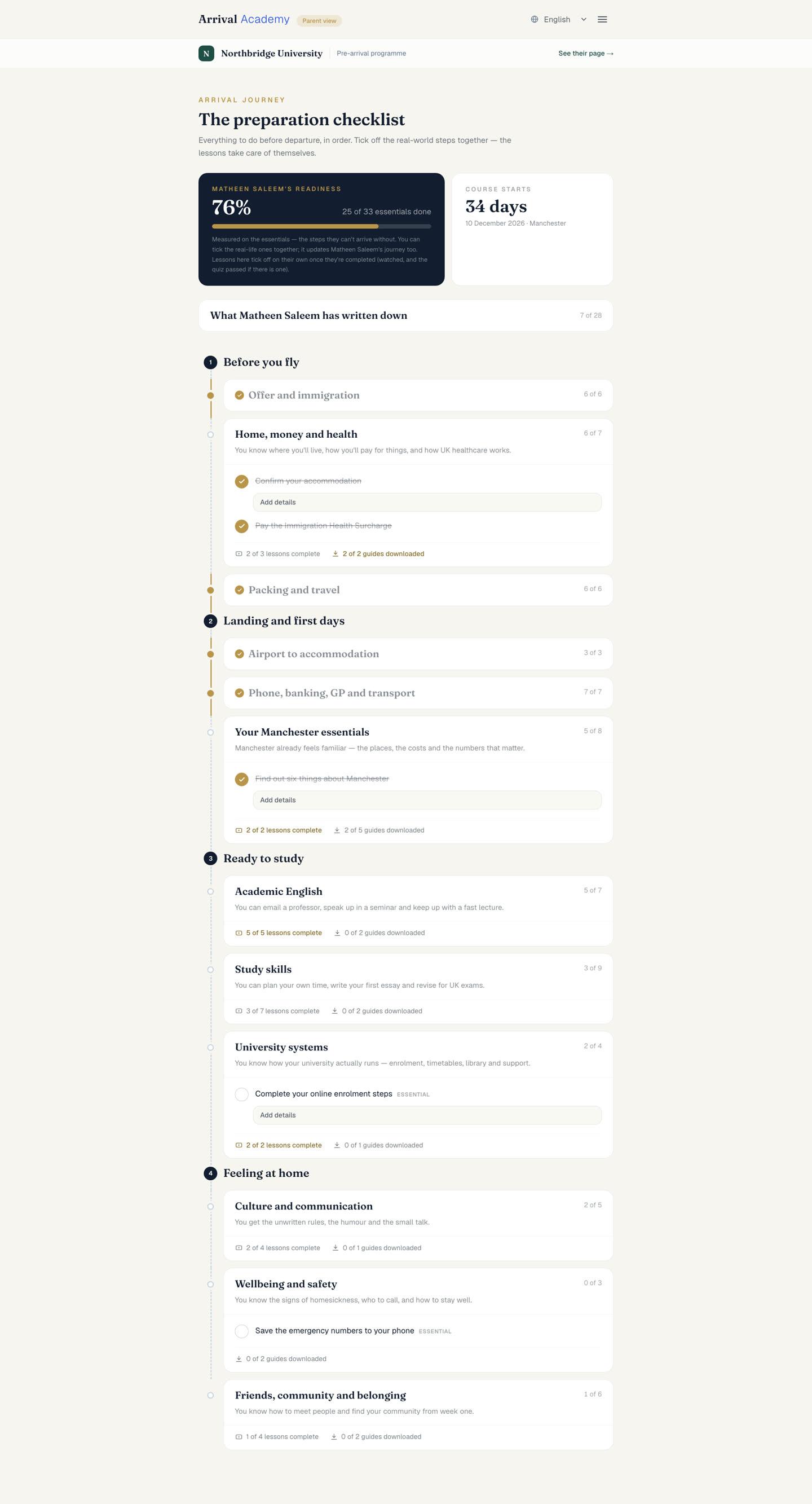
Universities rarely reach parents before arrival, and parents are the ones who ring your office in October.
- Let students invite a parent to join them
- Work through the arrival checklist together, both ticking steps off
- Show parents your news and their own messages, in their language
- Keep everything in one place, where your team can see progress too
For your team
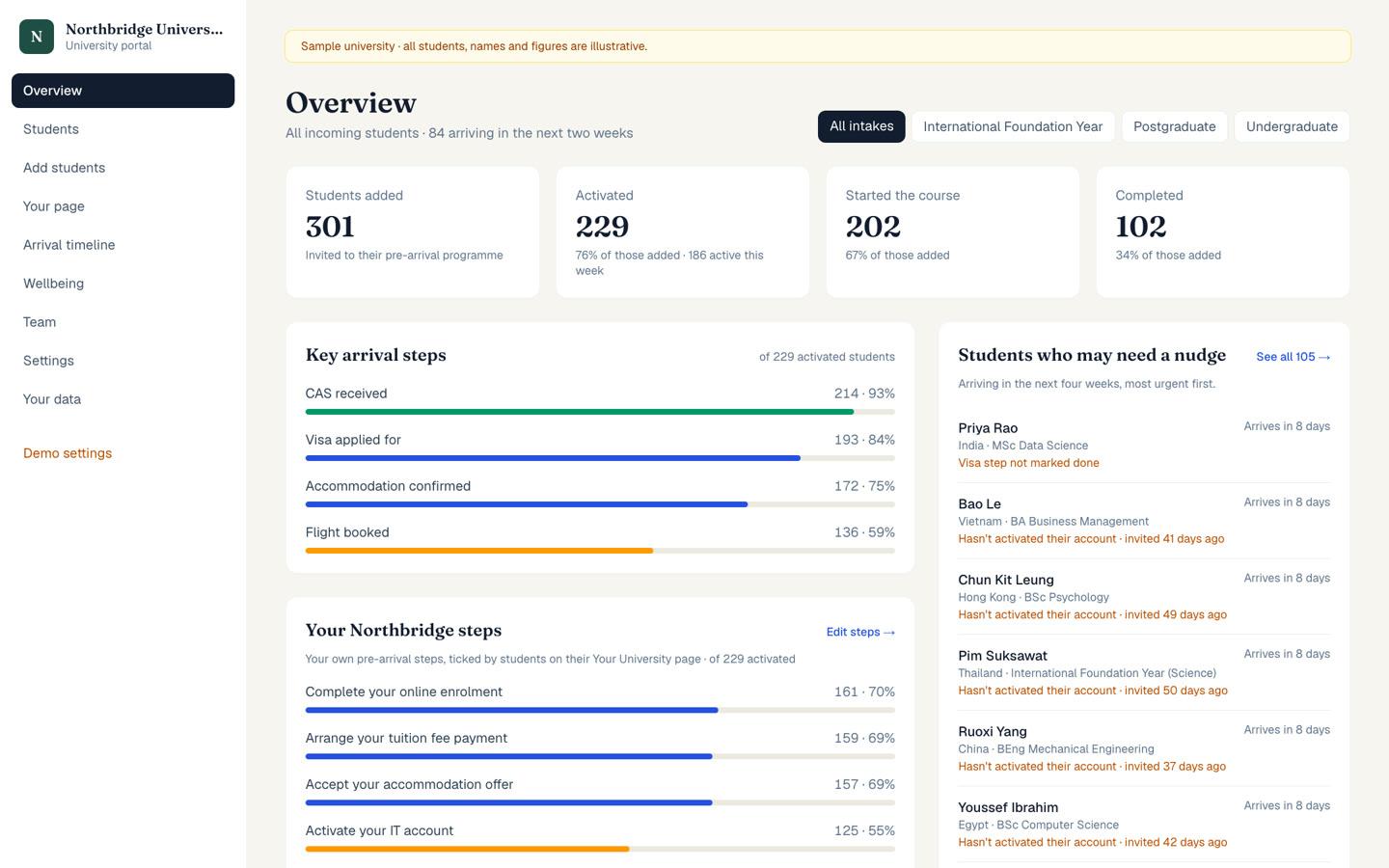
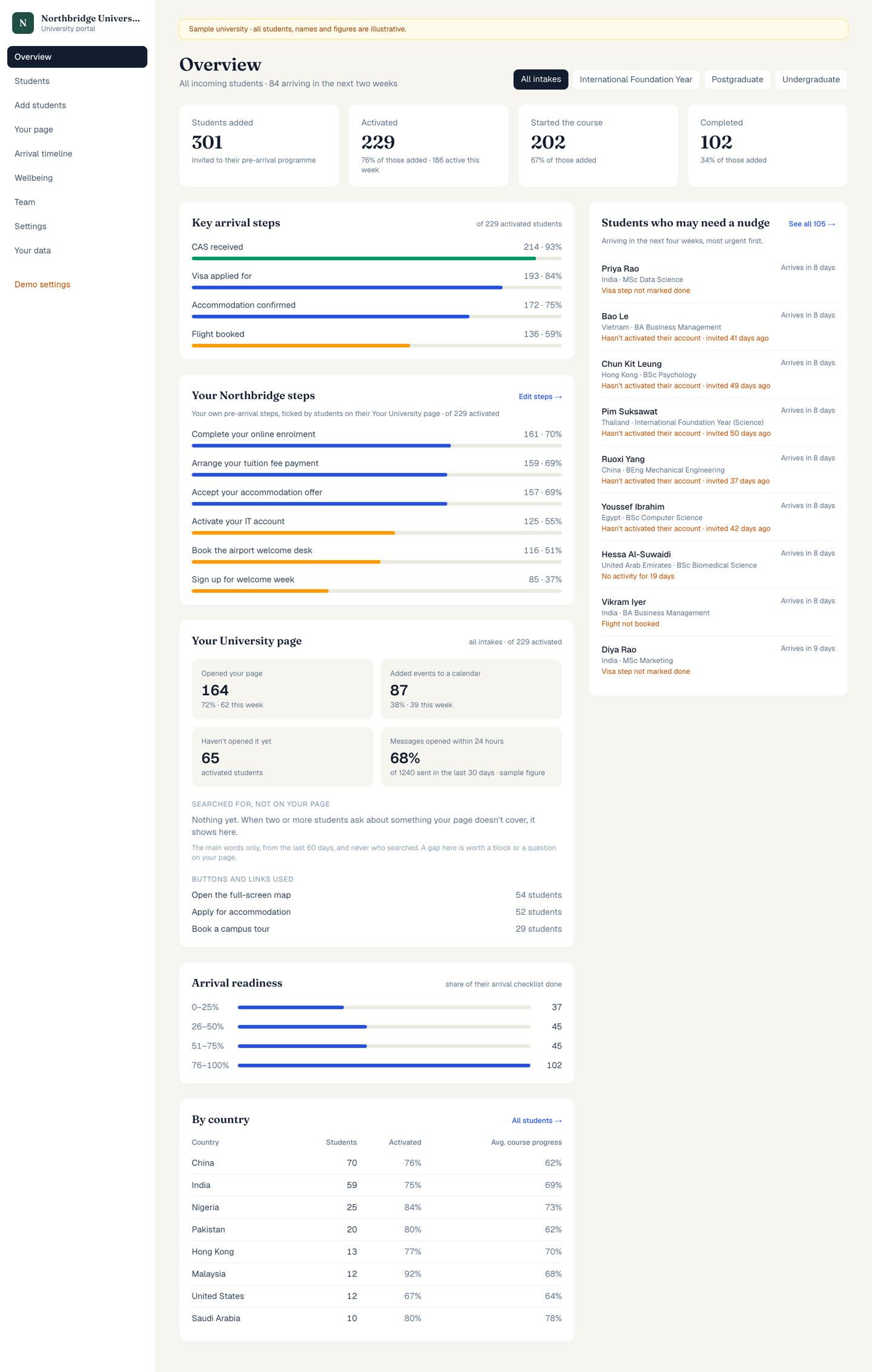
See who’s ready, and who isn’t.
- Track who has joined, started and finished, by intake
- See who may not arrive, weeks before enrolment day
- Spot who needs a nudge, soonest arrival first
- See what students search for that you haven’t answered
- Get a Monday email, so nobody has to remember to log in
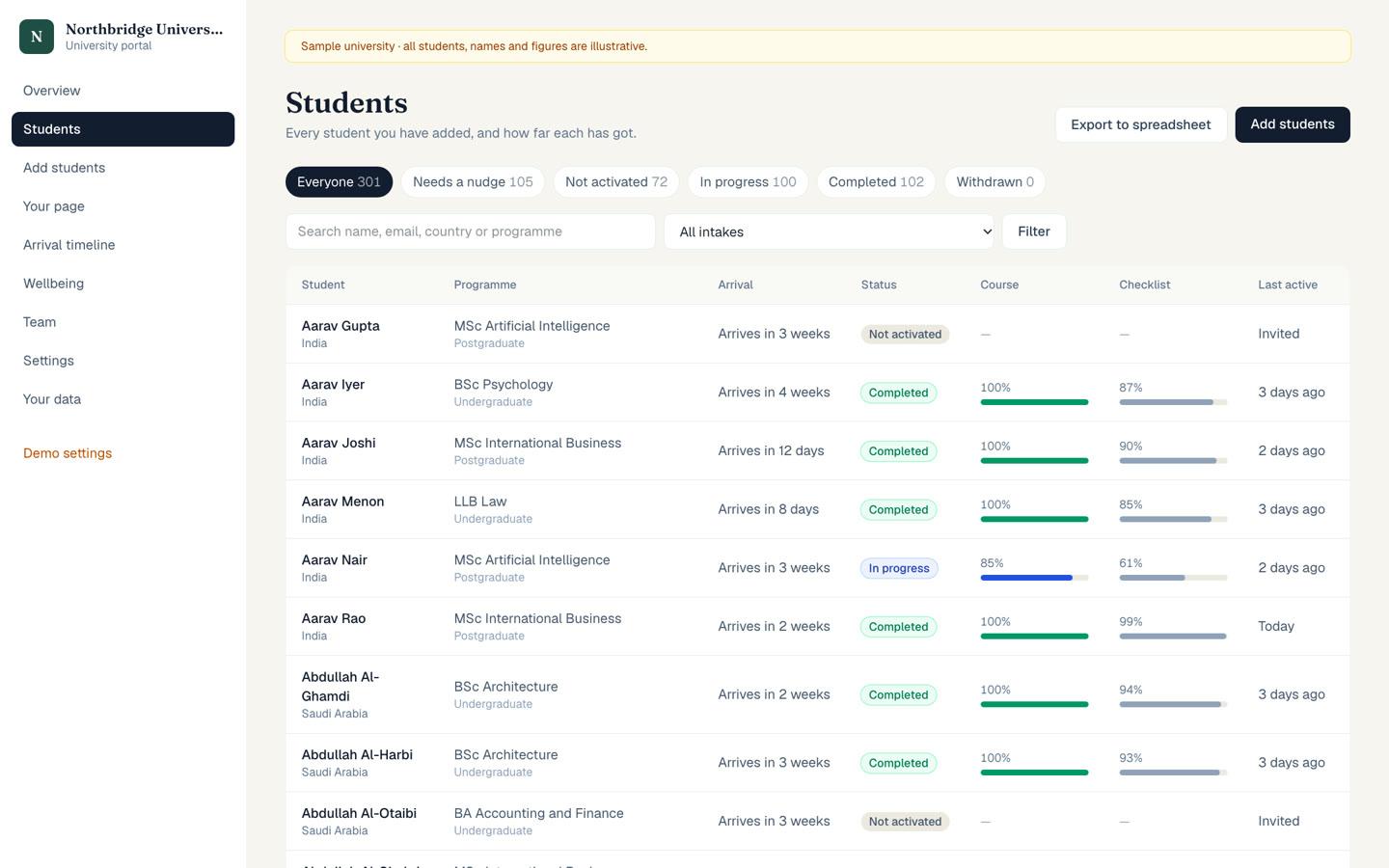
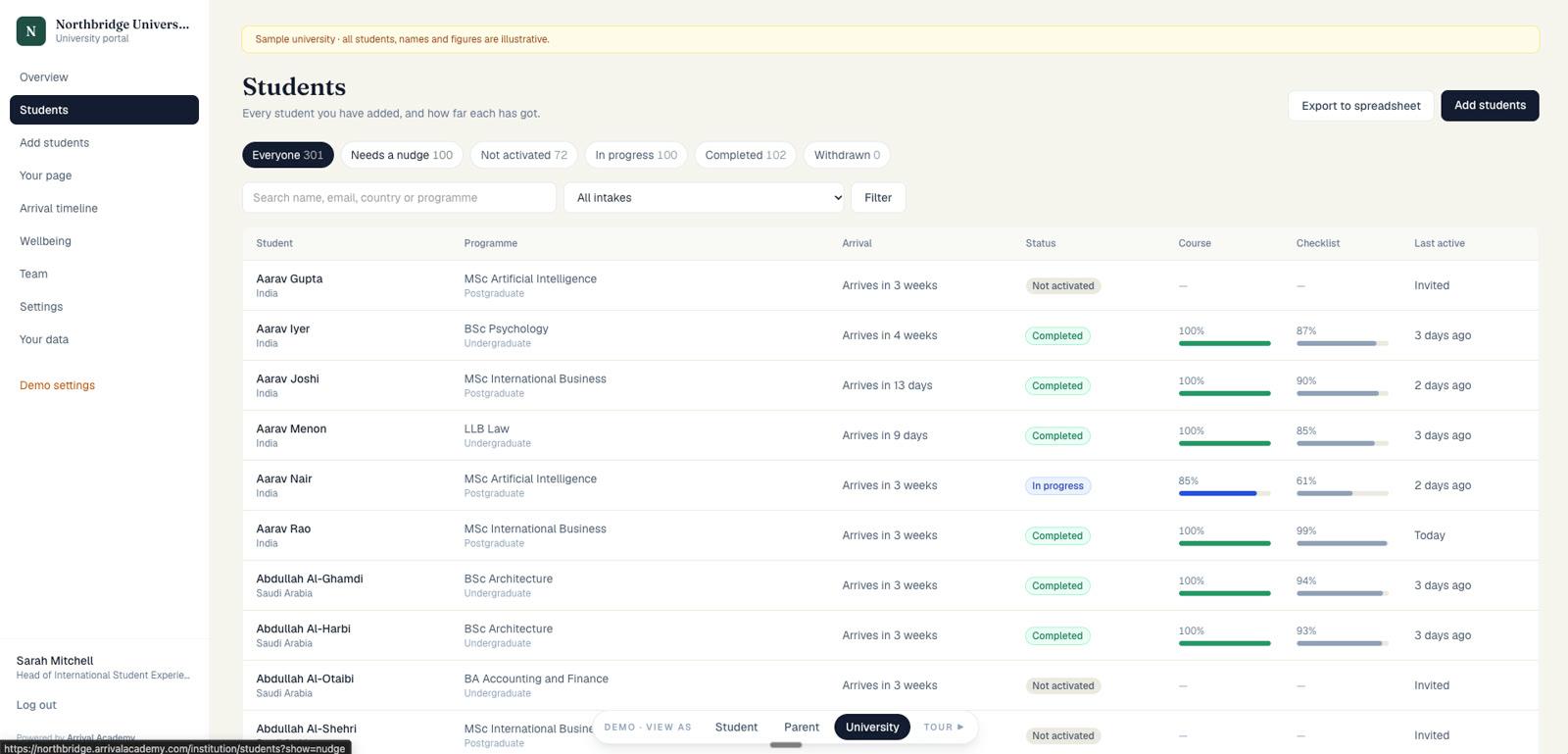
Every student, in one list.
- Filter by intake, by status or by who needs a nudge
- See each student’s progress, and when they were last active
- Send a reminder in your name, logged for your team
- Export to a spreadsheet at any time
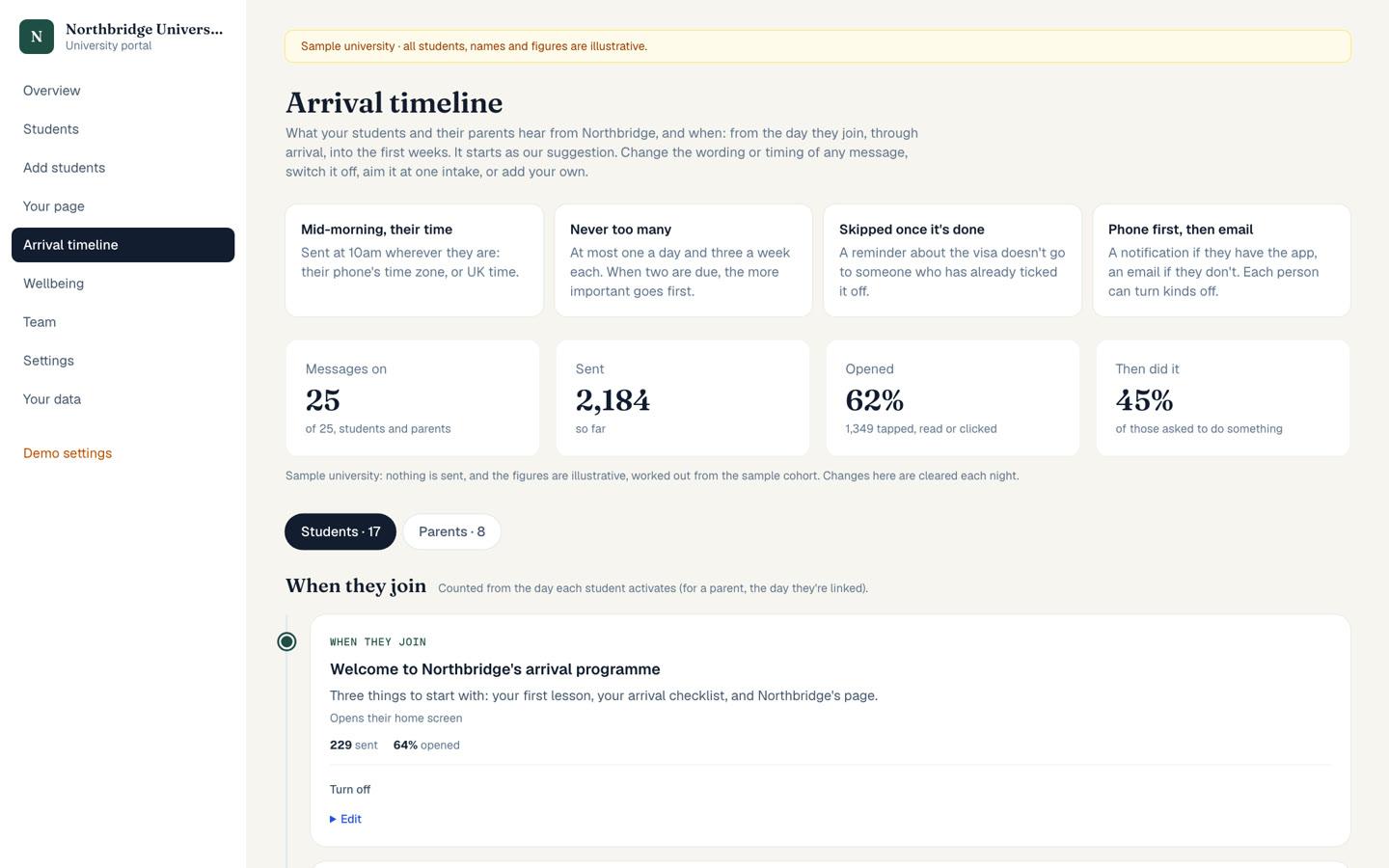
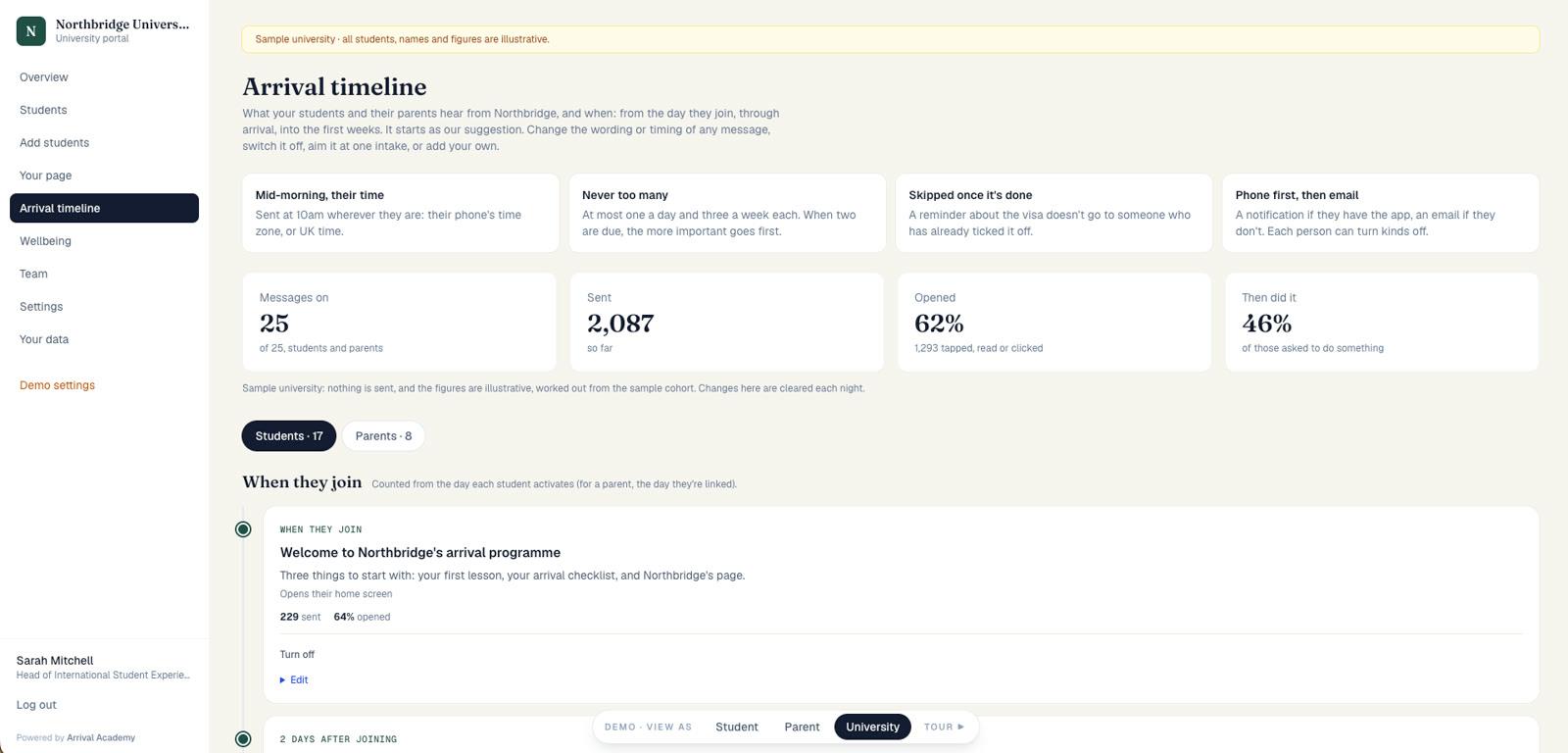
Every message, and what it did.
- Start from our suggested timeline, or switch any of it off
- Change the wording or timing, or add your own
- Aim a message at one intake
- See how many each message reached, opened and acted on
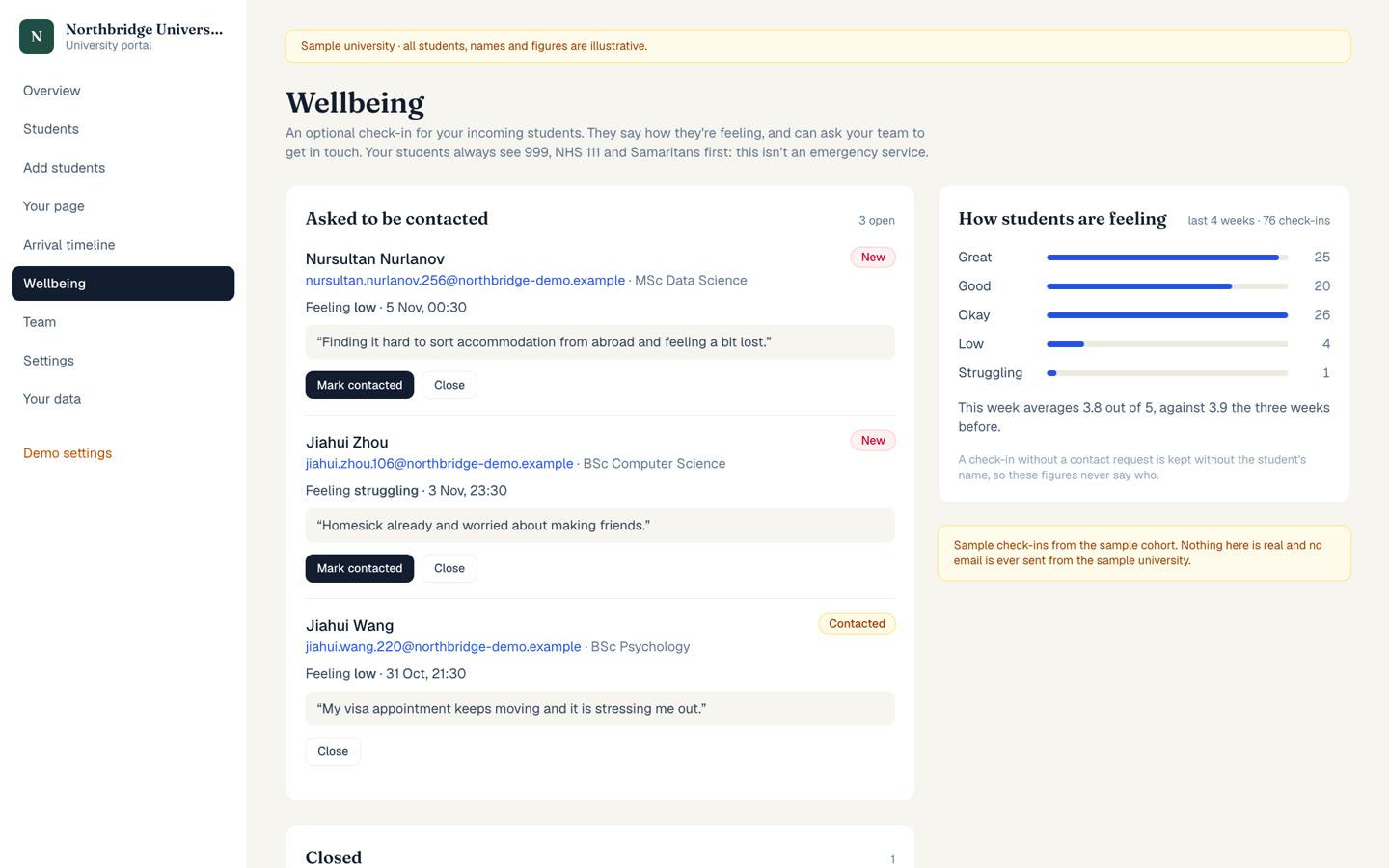
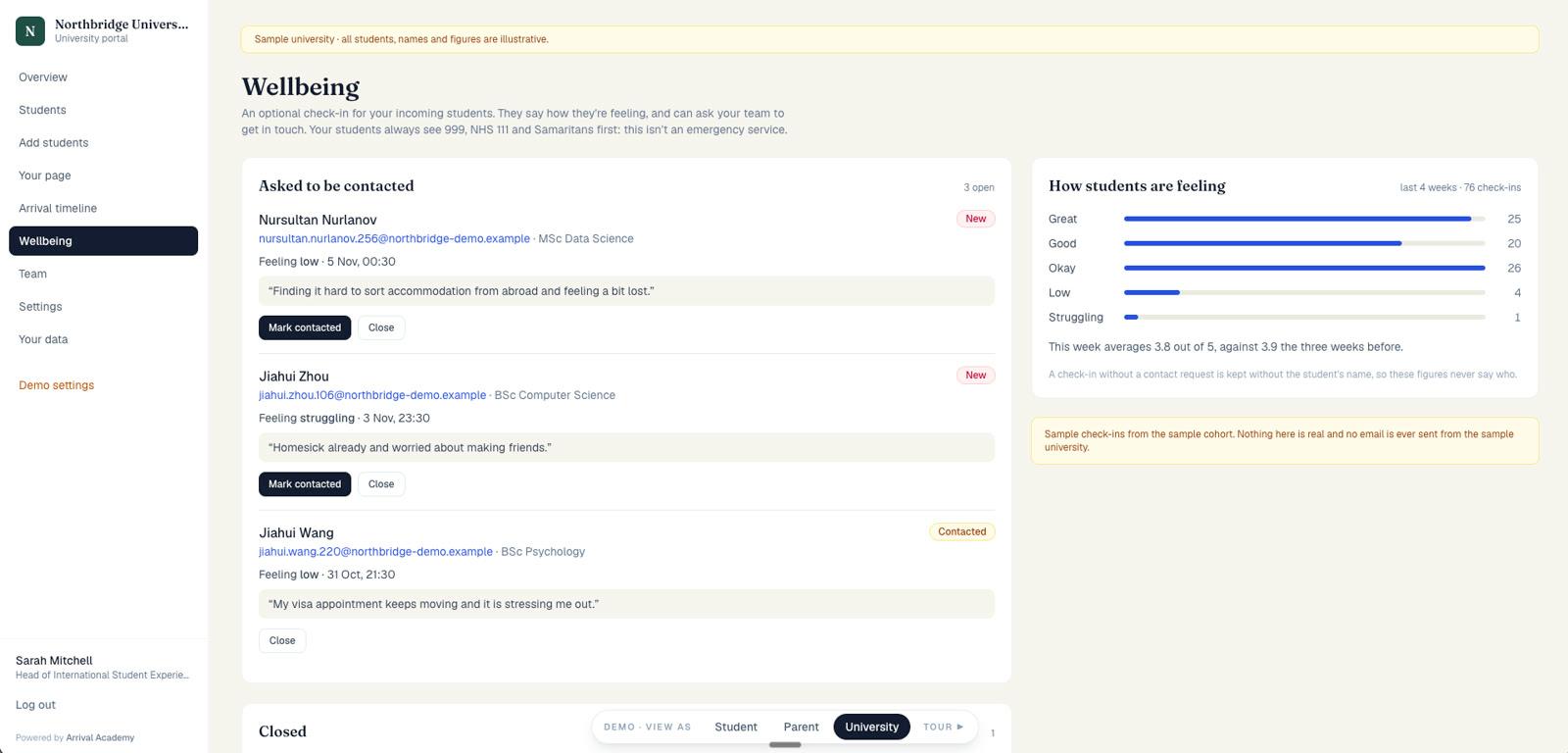
Hear from those who need you.
- See who has asked you to get in touch, and mark them contacted
- See how new students are feeling overall, without names
- Switch the check-in on or off for your university
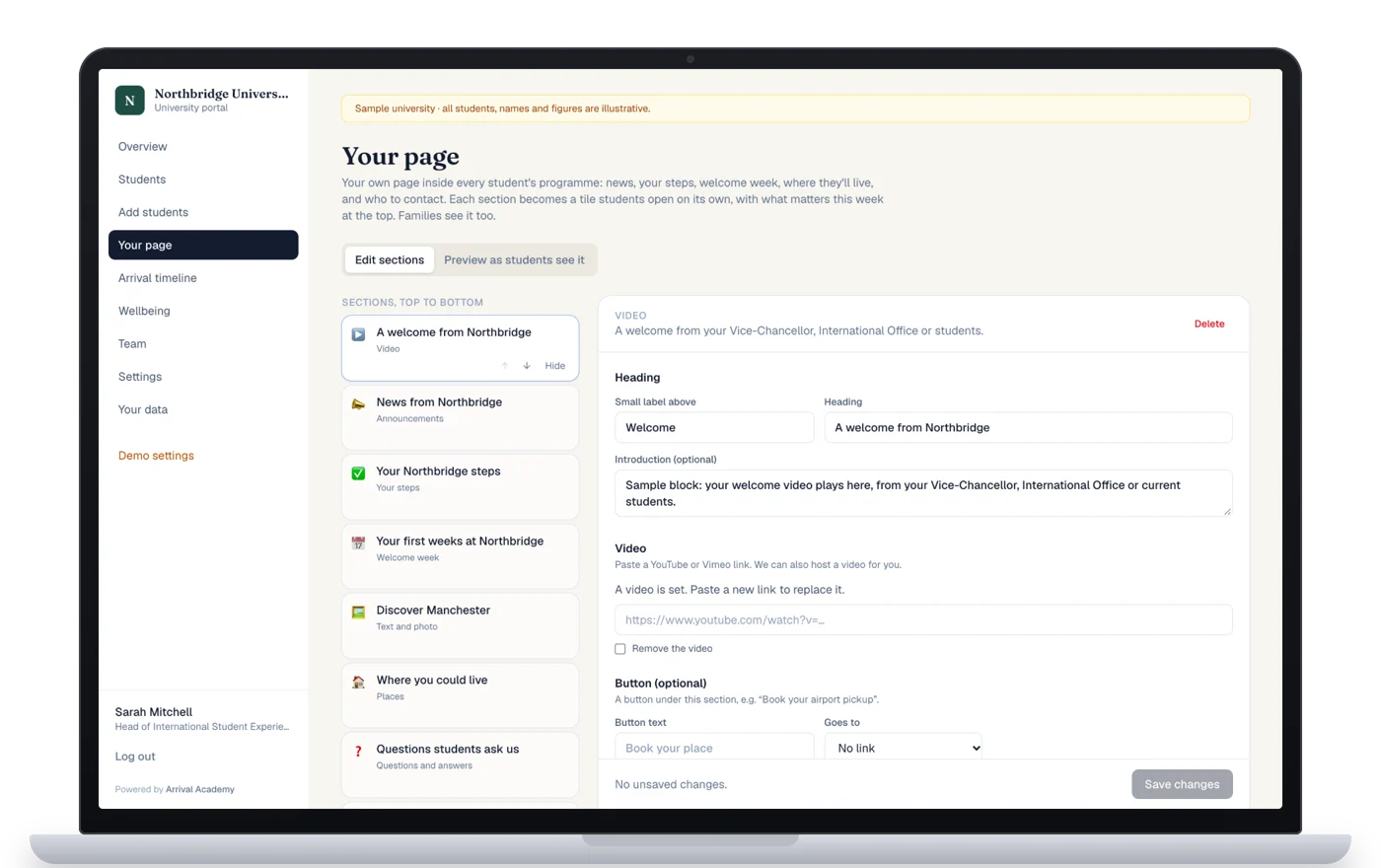
Run it yourselves. We set it up.
- Edit, preview and publish without IT
- Give each office its own login, for its own steps and messages
- Use your own logo, colours, photos and links
- Put up to eight of your own systems one tap away
- Write your own invitation email and sign-up page
- Start with a first page and campus map we build with you
Ready for the UK, the USA, Canada and Australia.
Europe is next. For anywhere else, we build the country’s course, checklist and guides with you.
See everything that’s included
For students and families
- Your university’s news, steps, events and contacts in one app
- Announcements aimed at the intakes they’re for
- Welcome week in their calendar
- Halls with photos, questions and answers, and a campus map
- An arrival checklist, with visa steps where they need them
- Their visa details and documents kept together
- A full pre-arrival course, with a certificate
- A pronunciation studio for their first language
- 30 guides and planners for study and life
- Ari, the AI assistant, answering from your information
- An optional wellbeing check-in
- Meet others starting too (optional)
- Notifications, an inbox and email
- A shared checklist and view for parents, in their own language
- Ten languages, on phone and laptop
For your team
- A live view of every student’s progress
- Visa, housing and travel at a glance
- A nudge list, and remind them all
- Each student’s record
- A personal link for every offer-holder, in your own email
- Who may not arrive, weeks before enrolment
- An editor with preview for your content
- Content aimed at one intake
- Arrival messages you can edit
- What students searched for that you haven’t answered
- Wellbeing requests, if you switch them on
- A Monday email for each of your team
- Roles: owner, manager, viewer, for the whole university or one office
- Export at any time
- Your own invitation wording
- Your own web address and sign-in
Free to students, with no adverts and nothing to buy. The wellbeing check-in and Meet others are optional for each university.